Printable Time Blocking Guide for Calmer, Focused Days
Master Your Minutes, Shape Your Day: A Printable System for Calmer, More Focused Days
Time often disappears in tiny, untracked moments—quick checks, mental switches, and vague to-do lists that grow faster than they shrink. A simple, printable structure can turn those minutes into visible choices. This guide explains a practical way to plan, protect focus, and follow through using the Master Your Minutes, Shape Your Day printable time management guide (digital download)—so days feel less reactive and more intentional.
What changes when minutes are planned instead of hoped for
When a day is built on “I’ll get to it sometime,” it’s easy to stay busy yet feel behind. Time-blocking flips that dynamic by making the day visible—so decisions happen once, not every five minutes.
- Fewer “busy but behind” days by converting open-ended tasks into scheduled blocks.
- Clearer priorities by separating what matters today from what can wait.
- Less context switching by batching similar tasks (messages, errands, admin).
- More realistic schedules by accounting for transitions, breaks, and buffer time.
- Better follow-through by turning goals into the next visible action.
When procrastination shows up, it often isn’t laziness—it’s a delay of intended action despite expecting to be worse off for the delay. That definition helps remove shame and replace it with structure and support. (See the APA Dictionary of Psychology: procrastination.)
What’s inside the printable time management guide (digital download)
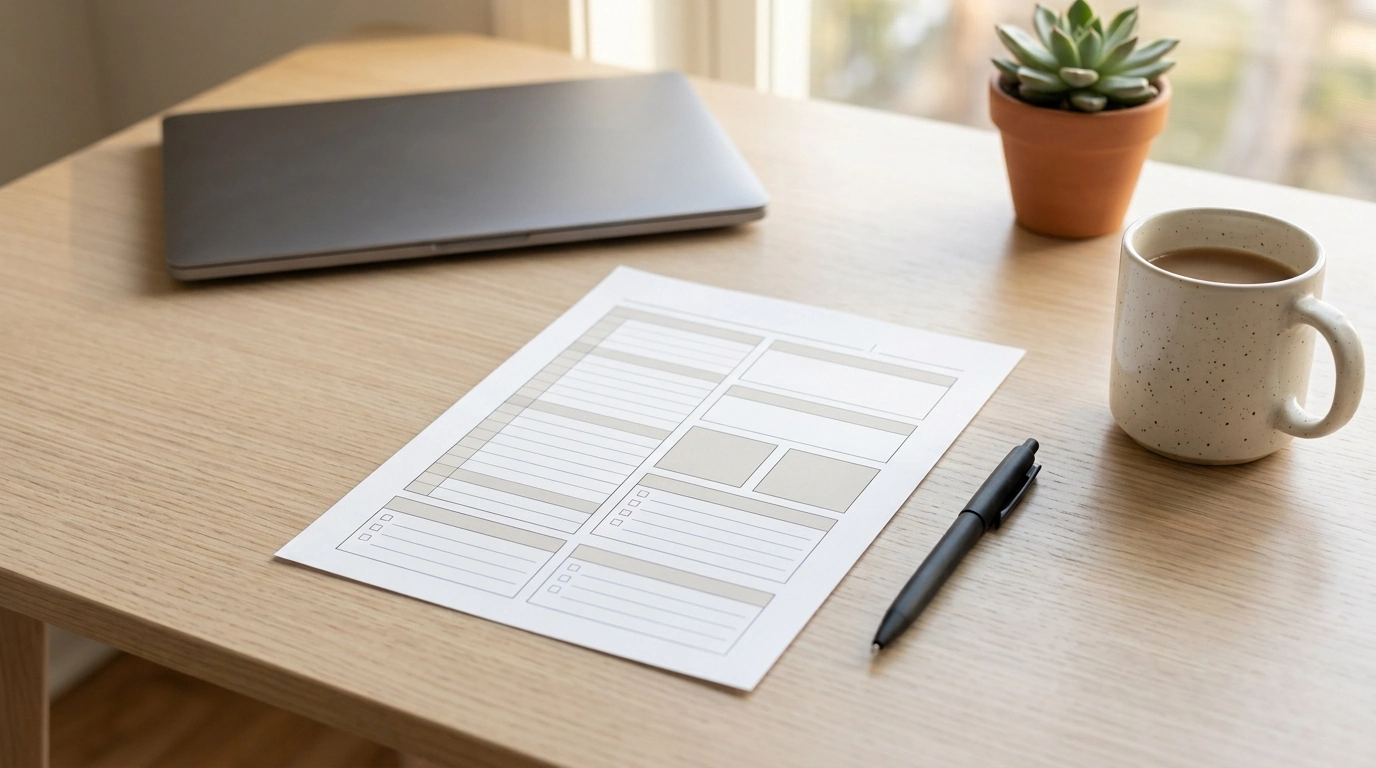
The Master Your Minutes, Shape Your Day printable time management guide (digital download) is designed for everyday use: one page that helps you plan the full day, protect focus, and adjust without starting over.
- Printable planning pages designed to map a full day from start to finish with clear time blocks.
- Space to identify top priorities, supporting tasks, and “if time allows” items to reduce overload.
- Sections for routines (morning/evening) that protect the basics—sleep, meals, movement, and reset time.
- A simple check-in area to reflect on what worked and what to adjust for tomorrow.
- Digital download format for quick access: print as needed, reuse with a binder, or annotate digitally if preferred.
Pairing time planning with a resilient mindset can make missed days less discouraging. The How to Learn and Grow from Mistakes digital guide is a helpful companion if you tend to spiral after a schedule slips.
A 10-minute setup that makes the planner actually usable
The best plan is the one you can repeat tomorrow. Keep setup light, then let the day teach you what to adjust.
- Pick a planning moment: the night before (reduces morning decision fatigue) or first thing in the morning (captures same-day changes).
- Choose one “anchor” commitment (work shift, school drop-off, appointment) and build the day around it.
- Set a realistic capacity: aim to schedule 60–75% of available time, leaving the rest for interruptions and transitions.
- Define a single focus window (60–120 minutes) for the most important task before low-value tasks creep in.
- Pre-decide a shutdown time to stop work from expanding into every open minute.
Protecting the basics matters. Sleep loss can quickly affect attention, mood, and decision-making—exactly the skills needed to plan and follow through. (See NHLBI: Sleep Deprivation and Deficiency.)
The daily method: prioritize, block, buffer, review
This method is simple enough to do daily, but structured enough to reduce overwhelm. The point isn’t perfection—it’s fewer last-minute scrambles and more deliberate follow-through.
Example day plan (adjust times to fit real commitments)
| Time Block | Focus | Notes |
|---|---|---|
| 8:00–8:20 | Start-up routine | Water, quick tidy, open planner, choose 1–3 priorities |
| 8:20–9:50 | Deep work block | Most important task; notifications off |
| 9:50–10:10 | Buffer + reset | Walk/stretch, prepare for next block |
| 10:10–11:00 | Admin batch | Email/messages/quick approvals; set a timer |
| 11:00–12:00 | Project support tasks | Smaller steps that move priorities forward |
| 12:00–12:45 | Lunch | Real break—no scrolling if it drains energy |
| 12:45–1:30 | Meetings/calls batch | Stack conversations together when possible |
| 1:30–2:30 | Second focus block | Continue priority work or create deliverable |
| 2:30–3:00 | Buffer | Catch-up + quick planning adjustments |
| 3:00–3:20 | Daily review | Capture wins, reschedule leftovers, prepare tomorrow’s first step |
Common time traps—and how the printable structure prevents them
Reducing stress isn’t only about doing less—it’s also about creating predictability and recovery time. Chronic stress can affect the body and concentration, making planning feel harder than it should. (See American Psychological Association: Stress effects on the body.)
Make it stick: small rules that build a lasting habit
Who this system works best for
Digital download tips: print, reuse, and organize
If you want a clean starting point, use the Master Your Minutes, Shape Your Day printable time management guide (digital download) as your daily page, and keep mindset support nearby with the How to Learn and Grow from Mistakes digital guide for the inevitable off-days.
FAQ
How fast can results show up with a printable time plan?
Clarity often improves on day one because the day stops living only in your head. More consistent follow-through typically shows up after 1–2 weeks of daily use, especially if you start with one focus block and a short end-of-day review.
Is this better for people who dislike strict schedules?
Yes—flexible time blocking uses time windows, buffers, and adjustable priorities rather than minute-by-minute rigidity. The structure reduces stress because it guides choices without punishing you when real life shifts.
What if the plan falls apart halfway through the day?
Pause for two minutes, choose the next best priority, and re-block the remaining hours with one or two realistic blocks. Move unfinished items to a specific future slot (or a “next” list) so the system stays trustworthy instead of becoming a new pile.












Leave a comment